Human-in-the-Loop (HITL) Gates
A HITL gate pauses a DAG at a defined checkpoint and waits for a human to approve or reject before downstream jobs proceed. This is useful for:
- Quality checks before an expensive training run
- Review of generated reports before publishing
- Compliance sign-off in regulated workflows
- Manual validation between pipeline stages
How it works
HITL configuration lives on the source node — the job that must complete before the gate. You do not create a gate node manually; it is injected automatically at deploy time.
When a job has a Gate Message set:
- The source job runs normally
- A
hitl_gatejob is automatically inserted after the source job and before all its downstream dependents - The gate registers itself in the approval queue and waits
- An approval banner appears in the DAG Visualizer
- On Approve — the gate exits cleanly, downstream jobs proceed
- On Reject — the gate fails, downstream jobs are cancelled
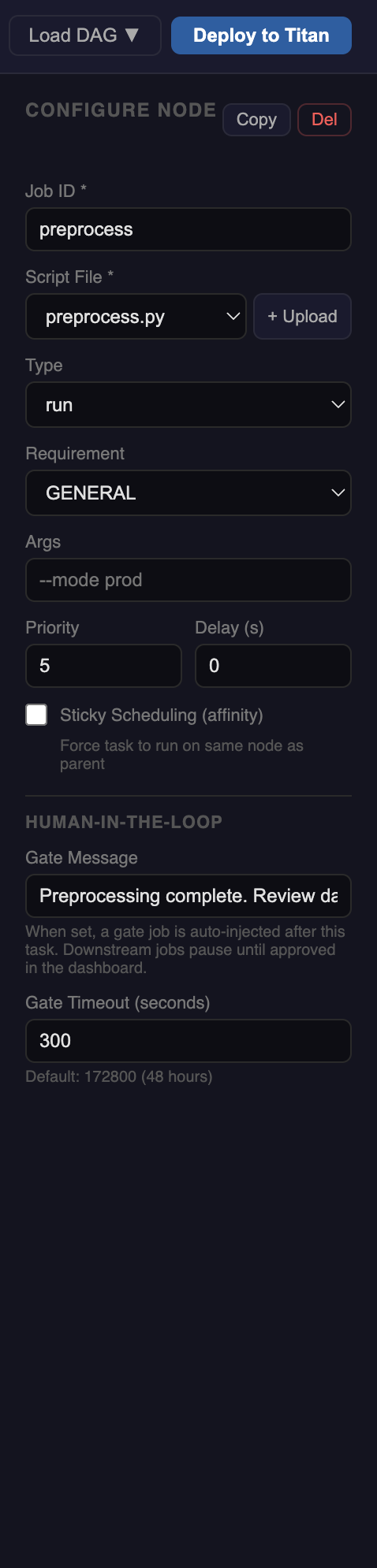
Configuring a gate
Select a node to open the sidebar and scroll to the Human-in-the-Loop section.
Gate Message
The message shown to the operator in the approval banner in the dashboard.
Review preprocessing output before training begins.
Check preprocessing_report.txt in the workspace files panel.
Leave blank to skip — no gate is injected for that job.
Gate Timeout (seconds)
Maximum time to wait for a human response before the gate automatically fails. Default: 172800 (48 hours).
172800   →  48 hours  (default — gives operator time to respond)
3600     →  1 hour
300      →  5 minutes (tight deadline, useful for testing)
If the timeout expires without a decision, the gate job fails and downstream jobs do not run.
What gets injected
Given this canvas:
With a gate configured on preprocess, the deployed DAG becomes:
The gate job runs hitl_gate.py with the gate ID, timeout, and message as arguments. It is a standard Titan job — visible in the visualizer with its own log stream.
HITL node badge
Nodes with a gate configured show a yellow HITL badge in the constructor canvas. This is a reminder that approval will be required at runtime — no action needed in the constructor itself.
Approving and rejecting
See HITL Approval in the Visualizer for the runtime workflow.
Example — ML pipeline with pre-train review
preprocess (HITL: "Review data quality report before training")
    ↓
hitl-gate-preprocess  [auto-injected]
    ↓
train (GPU)
    ↓
evaluate
The operator opens the workspace files panel in the visualizer, downloads preprocessing_report.txt, reviews the data quality stats, then approves or rejects the gate.
Info
The depends_on / parents for train points to preprocess, not to the gate. The gate wiring is handled server-side at deploy time. Your code stays clean.