DAG Visualizer — Overview
The DAG Visualizer is the live operational view for a submitted DAG. It shows the pipeline graph, real-time job status, logs, HITL approval controls, and output files — all in one place.
Live status is being reworked
The graph shape, the log stream and the workspace file panel are reliable. Live status updates are not yet: they are resolved through the client-side DAG manifest, which is being reworked, so a node can lag or briefly misreport its state.
The Execution Timeline and Cluster & Control Plane pages read execution spans and the store directly rather than the manifest, so treat them as the authority when the two disagree.
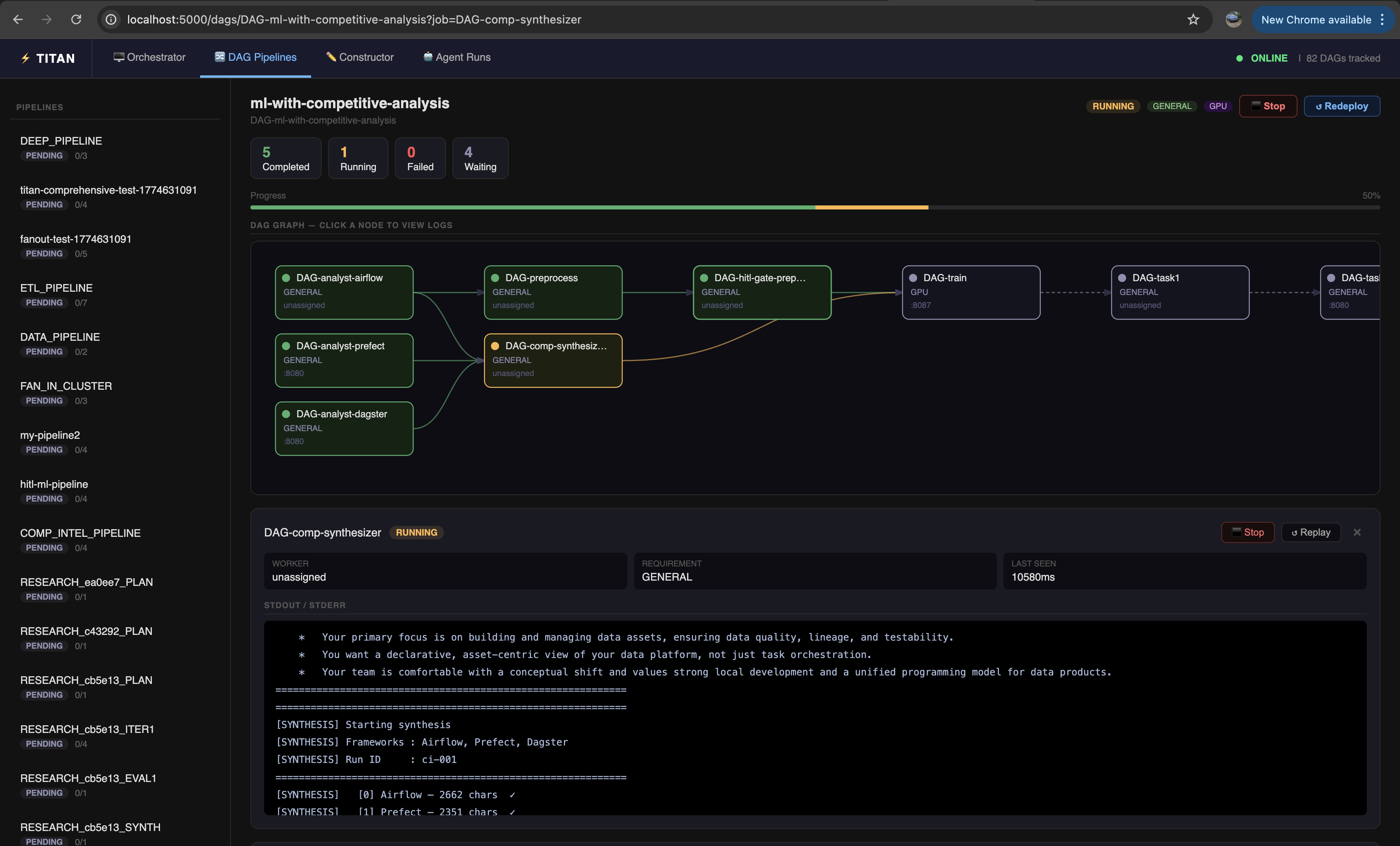
How to open it
From the constructor — after a successful deploy, click "✓ Deployed — View DAG →" in the topbar.
From the dashboard — go to http://127.0.0.1:5000/dags, find your DAG in the list, click its name.
Direct URL — http://127.0.0.1:5000/dags/DAG-<your-pipeline-name>
From the CLI — after titan submit, the CLI prints the DAG name. Append it to the dashboard URL.
From the SDK — after client.submit_dag(...), the DAG name is the prefix DAG- + the name you passed.
Layout
┌────────────────────────────────────────────────┐
│  DAG header — name, overall status, back link  │
├──────────────────┬─────────────────────────────┤
│                  │                             │
│  Pipeline graph  │  Job log panel              │
│  (SVG)           │  (appears on node click)    │
│                  │                             │
├──────────────────┴─────────────────────────────┤
│  HITL approval banner  (appears when pending)  │
├────────────────────────────────────────────────┤
│  Workspace Files panel                         │
└────────────────────────────────────────────────┘
Live polling
The visualizer polls the master every 2 seconds for job status updates. Node colors update in place without a page reload. You do not need to manually refresh.
Sections
- Monitoring & Logs — job status colors, clicking nodes to view logs
- HITL Approval — approving and rejecting gates at runtime
- Workspace Files — downloading output files generated by jobs